VoidBox documentation
Every feature, step by step, with pictures of the screens you will actually see. Nothing here needs a paid plan unless it says so.
1 · Add VoidBox Free
Two minutes, and nothing to configure before it works.
- Open the invite. Press Add to Discord on the intro page or in the dashboard header.
- Pick your server. You will only see servers where you have Manage Server — that is Discord's rule, not ours.
- Leave the permissions ticked. Each one powers a feature: kick and ban for moderation, manage roles for reaction roles and level rewards, manage channels for tickets, move members for voice rooms. Untick one and the matching feature stops working rather than failing loudly.
- Authorise. VoidBox joins and starts counting activity straight away.
/ again.2 · Run /setup Free
One command, no arguments. Everything is menus.
Type /setup in any channel — there is nothing to type after it. VoidBox posts a
private panel with two dropdowns:
- A category (💰 Economy, 🎰 Games, 🛡️ Safety, 🤖 AI, ✨ Community) whose second menu ticks features on and off. Whatever is ticked when the menu closes is saved.
- A section — shop items, jobs, companies, level rewards, FAQ, chat-revive prompts, social alerts, stat channels, giveaways, reaction roles, tickets, rules, the honeypot, and “change a setting by describing it”. Each lists what you have, with Add (a pop-up) and a Remove dropdown. Anything a pop-up cannot ask for — a channel, a role, a platform — is a second step right after it.
Deep editors are not squeezed into chat: application forms, the welcome card layout, achievement art and long reaction-role lists list what exists here and link to the dashboard, which does them properly.
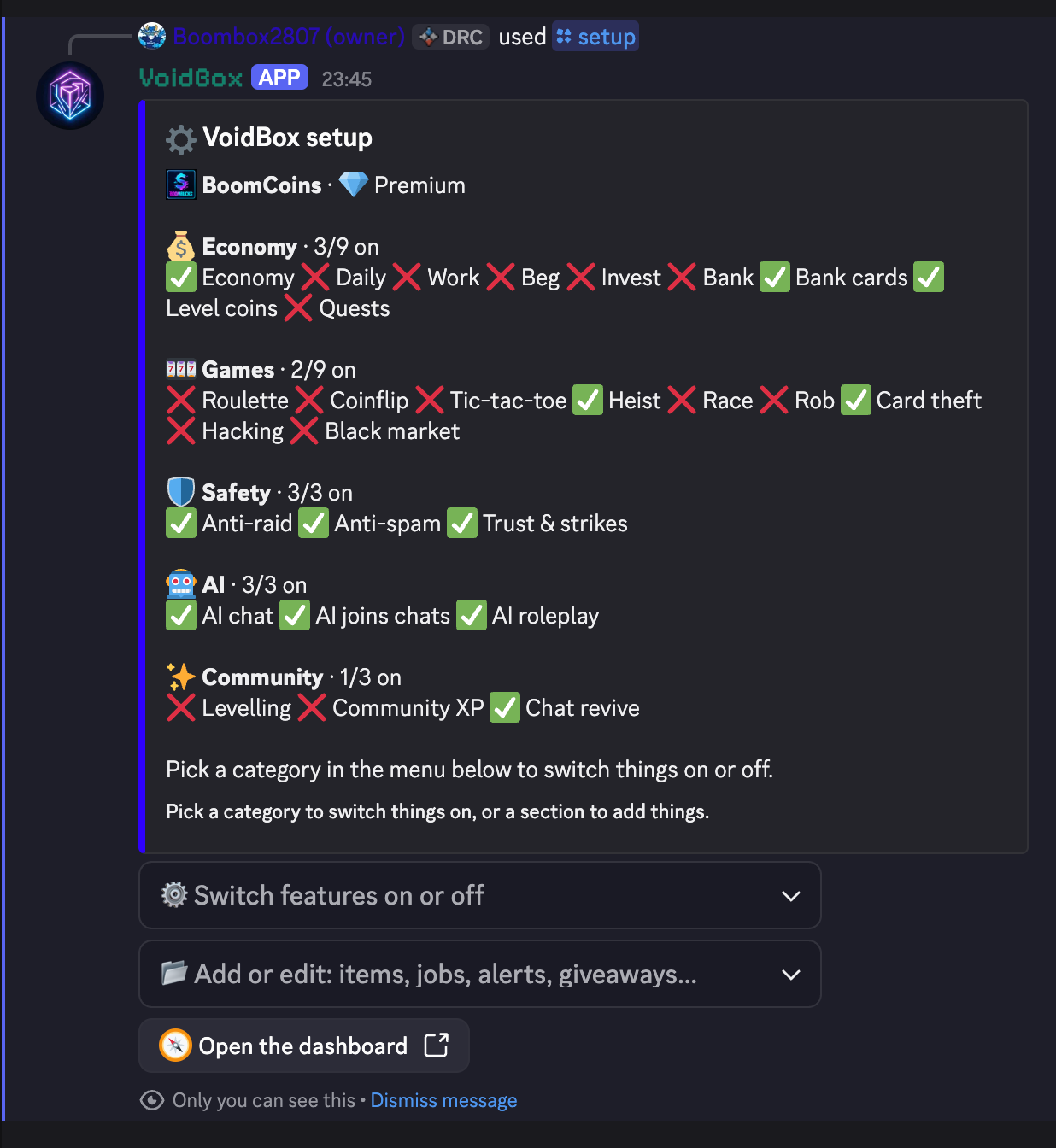
/setup panel: each category shows what is on. Pick a category in the first menu to switch things, or a section in the second to add items, jobs, alerts and giveaways.Everything /setup exposes is also in the dashboard, with more detail.
The panel is the fast path; the dashboard is the full one.
3 · The dashboard Free
Sign in with Discord at voidbox.games/bot-dashboard.html.
- Sign in with Discord. VoidBox receives your user ID, your name and avatar, and the list of servers you administer — used only to decide which servers you may configure. Never your password.
- Pick a server from the switcher at the top.
- Choose a group from the left: Levels & economy, Safety, Community or AI & alerts, plus the Dashboard home. Can't find a setting? Type it into Search settings at the top of the sidebar.
- Choose a section from the group. Every change saves automatically about a second after you stop typing. A note pops up showing exactly what changed (old → new), and Your data → Recent changes lists everything saved from your browser.
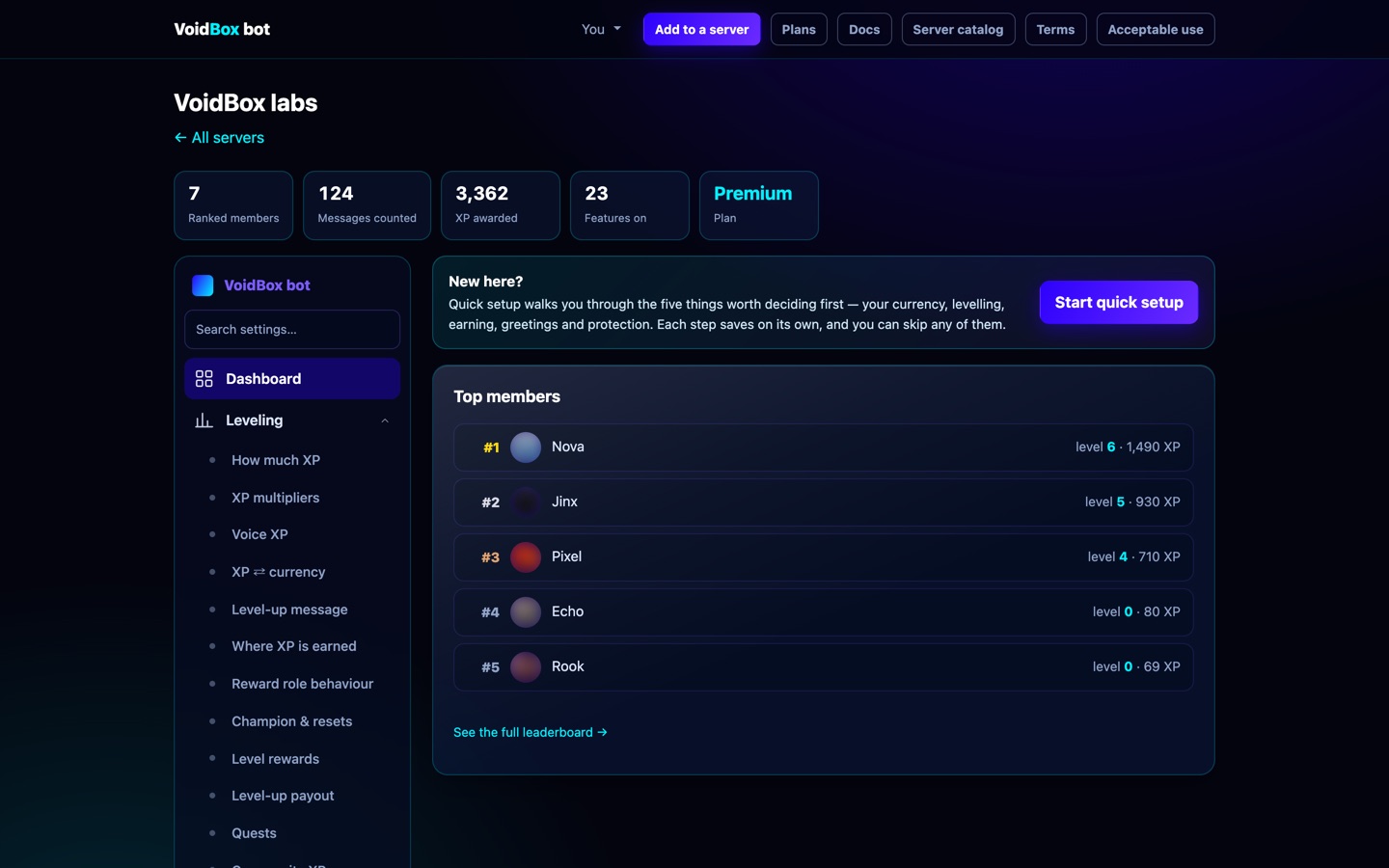
Simple and Advanced mode
The dashboard opens in Simple mode: one sidebar row per page, and the fine-tuning dials (cooldowns, thresholds, image fonts…) folded away. To see everything, click your profile picture → Preferences → Dashboard mode → Advanced. Advanced adds shortcuts to every section and shows each section's Advanced settings block. The mode is saved in your browser, and switching never changes or deletes a setting. Search always finds every setting in either mode.
The guided tour
The first time you open the dashboard, Boombox gives you a short tour: where to pick your server, the five groups, the search box and the mode switch. Replay it any time with Tour with Boombox in the sidebar, or with Redo the tutorial in Preferences. The tutorial always starts again from server selection. Preferences also open from your profile menu before you pick a server. Boombox also sticks around while you work. The first time you open a page, he explains what it's for and what to do first. Any time after that, press the round ? button in the bottom-right corner and he explains the page you're on. Turn the automatic tips off (or make them show again) in Preferences. Still stuck? Join the support server.
4 · Import from another bot Free
Moving from MEE6, Lurkr, Amari, Tatsu — or anything that can export a file.
Levels come across, and a level-50 member stays level 50. VoidBox converts to its own XP curve rather than copying raw numbers, because the same XP total means a different level in every bot.
Pick a source
| Source | What you need |
|---|---|
| A file | A JSON or CSV export. Works with any bot, and cannot break when somebody redesigns their website. |
| MEE6 | The source server's MEE6 leaderboard set to public. |
| Lurkr | The source server's Lurkr leaderboard set to public on lurkr.gg. |
| Amari / Tatsu | Your own API key. Used for that one request and never stored — not in the database, not in the logs. |
Do the import
- Dashboard → Leveling → Import.
- Choose the source. For a live source, paste the source server's ID; for a file, upload it.
- Press Check. Nothing is written yet — you get a preview of how many rows were read, how many were skipped, and what would change.
- Pick how it merges: Highest wins (safe default), Replace, or Add on top.
- Press Apply.

Levelling Free
XP for taking part, roles for reaching a level.
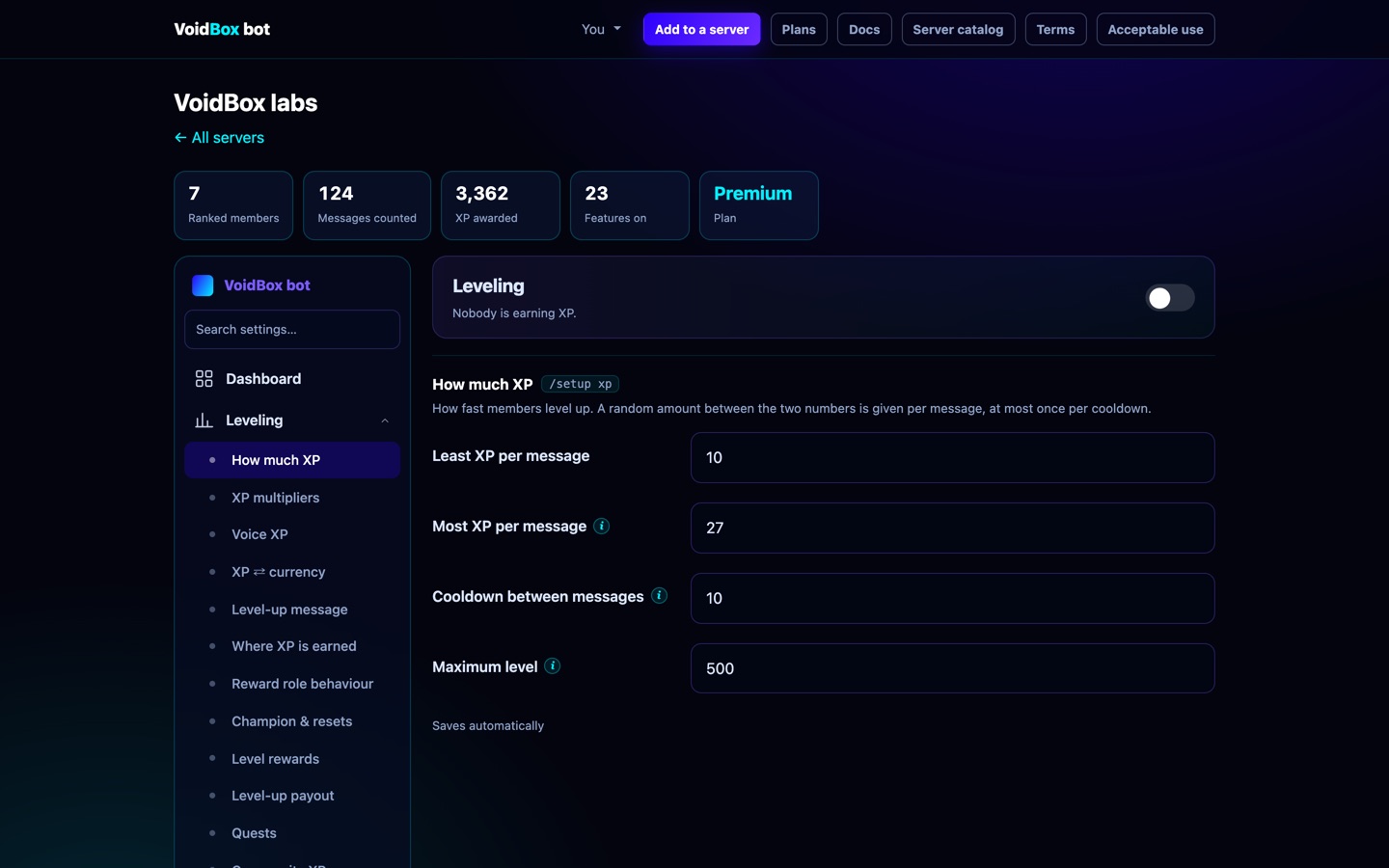
Members earn XP for messages (and voice time) with a cooldown so spam does not pay. Dashboard → Leveling sets the XP range, the cooldown, the maximum level, and where level-ups are announced.
Level rewards
Give a role at a level. /level-reward add in Discord, or the
Level rewards block on the same page. Free servers get 20; Premium is
uncapped.
What happens when a plan ends Nothing is deleted
A Premium server can hold 100 shop items; the free plan holds 30. When a subscription ends, VoidBox archives the difference. It never deletes anything.
Archived means: still stored, still listed, still yours — just not in use. Members cannot see or buy it, the bot will not hand it out, and it does not count against your plan's limits.
The newest things are archived first, so whatever you have had longest keeps working. You will find them all under Your data → 📦 Archived, each with a Restore button. Restoring works as soon as there is room: upgrade again, or archive something else by hand.
This covers shop items, jobs, companies, level rewards, reaction-role panels, ticket panels, application forms, achievements and chat-revive prompts. The check runs every six hours.
Safety score Free
Dashboard → Analytics opens with a ring: how much of VoidBox's protection this server actually has switched on, weighted by how much each one prevents. Anti-raid and anti-spam count most, a log channel counts because nothing is reviewable without one, and image screening counts because it is free.
Under the ring is every protection you are missing, what it stops, how many points it is worth, and a button that jumps straight to its setting. The ring is green above 85%, amber above 60%, orange above 35%, and red below that.
XP calculator Free
Any member can open voidbox.games/xp-calculator, sign in with Discord and
pick a server. Then pick a role reward or a level. It uses that server's real cooldown and XP per message,
and their best role multiplier. It shows how many messages it takes, the fastest possible time (one message every
cooldown), and an estimate at their own pace this week. Admins can share a link that opens
their server directly: voidbox.games/xp-calculator?server=YOUR_SERVER_ID.
Rank cards Free Some extras Premium
/rank draws a real image, not an embed.
Colours, patterns and ornaments are free and per-member. Dashboard → Rank card
sets the server defaults; members override with /card and
/set-bg.
Name gradients Premium blend two colours across your username the way a Nitro profile does: 12 presets (Cyberpunk, Sunset, Crimson Moon, Mint Apple, Aurora, Gold Rush, Ice, Candy, Toxic, Ember, Midnight) or My two colours, which uses the text and bar colours you already picked. With Premium+ the gradient shimmers: the card is drawn as a looping GIF and the colours slide across your name. The background can animate the same way, and five three-colour gradients unlock — Prism, Vaporwave, Firefly, Lagoon and Nebula — where the middle colour is its own band rather than a blend.
The same gradients apply to the level-up card and the welcome image, set per server in Dashboard → Leveling → Level-up message, and Welcome. On a welcome card built in the editor the gradient paints the largest piece of text, which is the name in every layout.
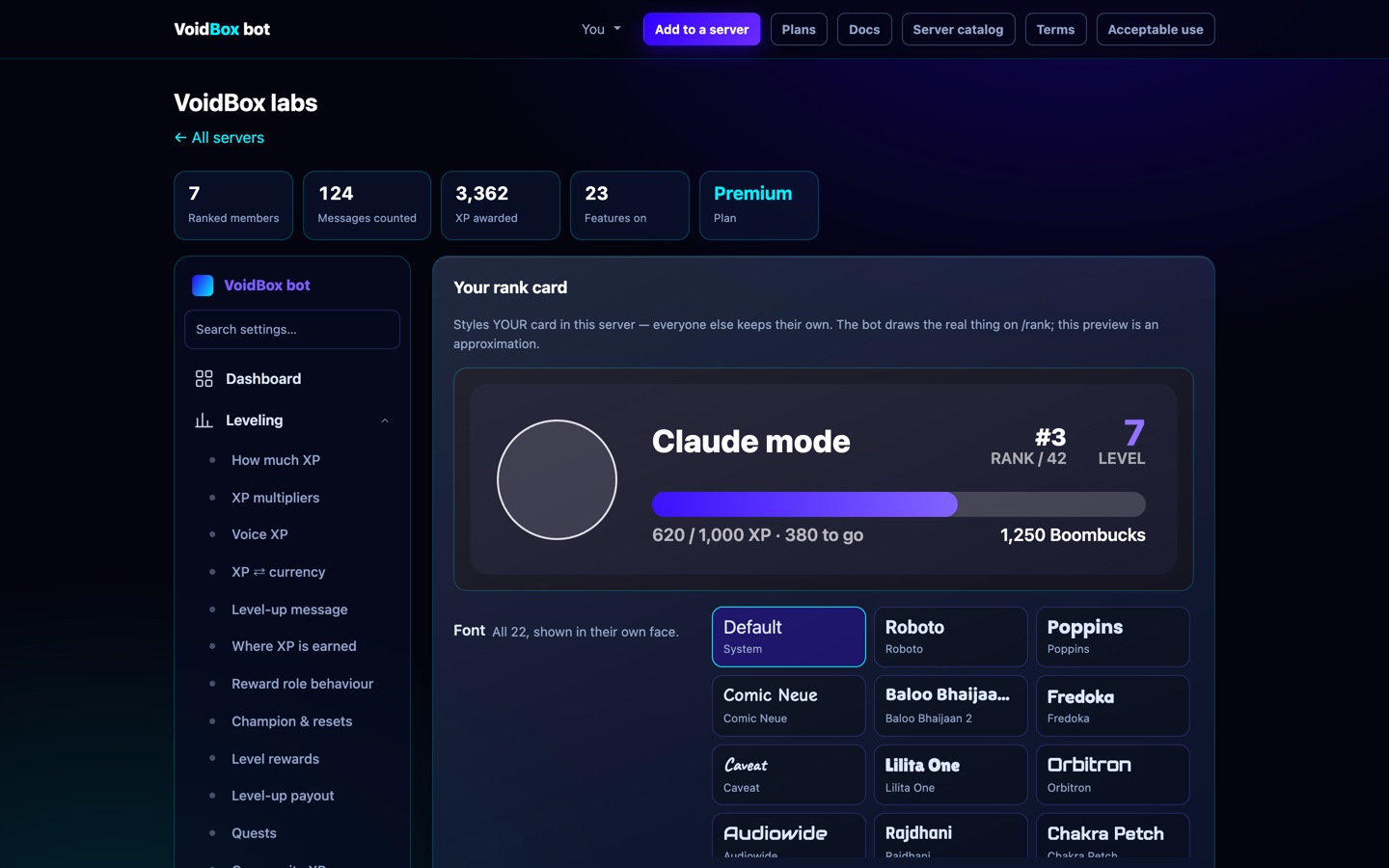
Premium adds thematic fonts and a custom background image. Premium+ adds an animated background and a name gradient.
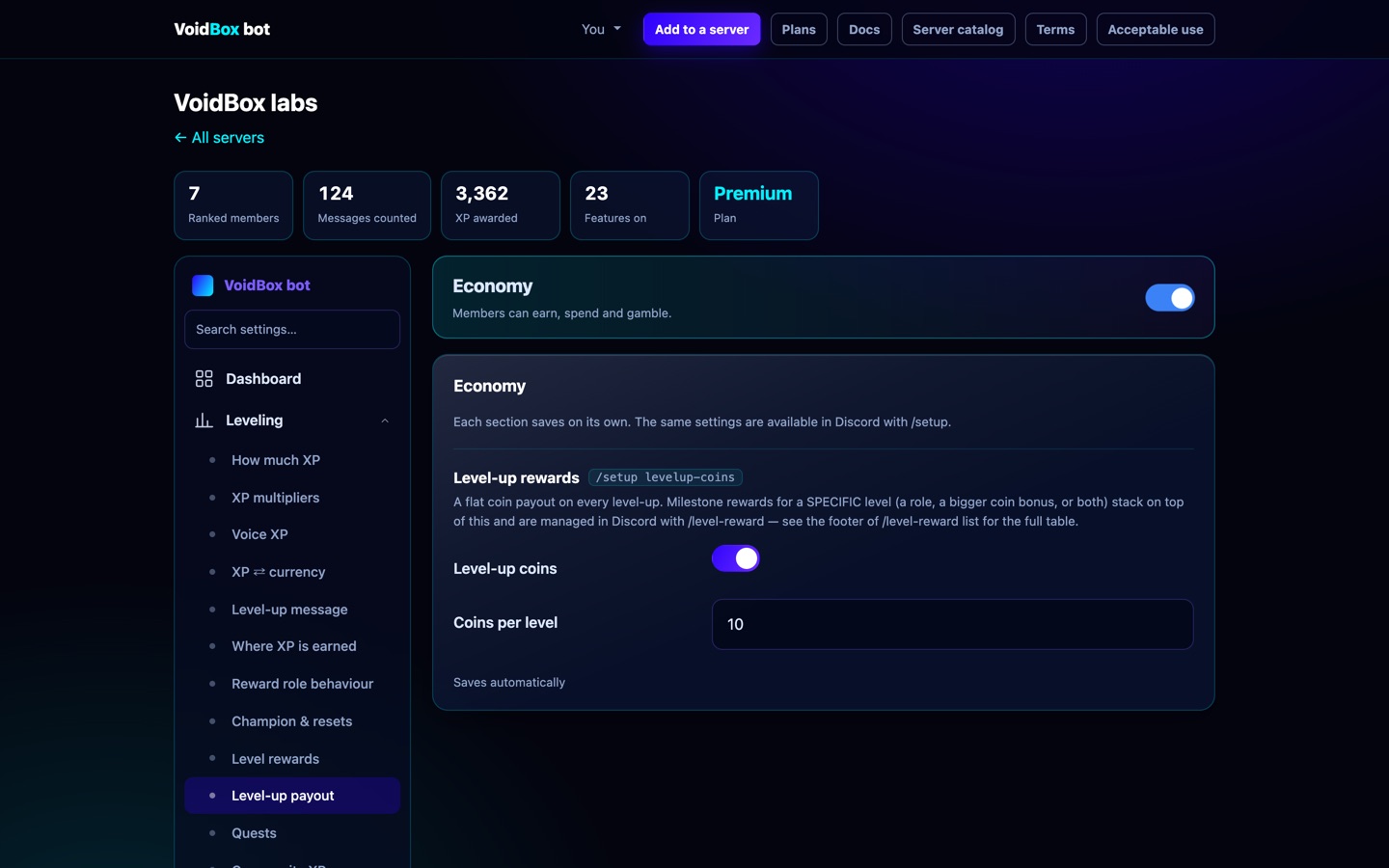
Economy Free
Currency, jobs, a shop, gambling, investing, heists and gacha.
All of it works on the free tier. Paid plans raise the ceilings, they do not unlock the commands.
| Limit | Free | Premium |
|---|---|---|
| Store items | 30 | 100 |
| Jobs | 25 | 100 |
| Investment companies | 25 | 100 |
| Gacha rarity bands | 5 | 40 |
| Shop aisles | 1 | 10 |
Moderation & protection Free
Warn ladder, anti-raid, anti-spam, and local image scanning.
- Warnings —
/warn,/warnings,/unwarn. A ladder escalates automatically at thresholds you set. - Anti-raid — reacts to a burst of joins;
/lockdownstops a channel dead. - Anti-spam — duplicate-message and invite-link detection.
- Image scanning — nudity detection that runs on our own hardware. Those images are never sent to an AI provider. Free on every plan, up to 120 scans an hour.
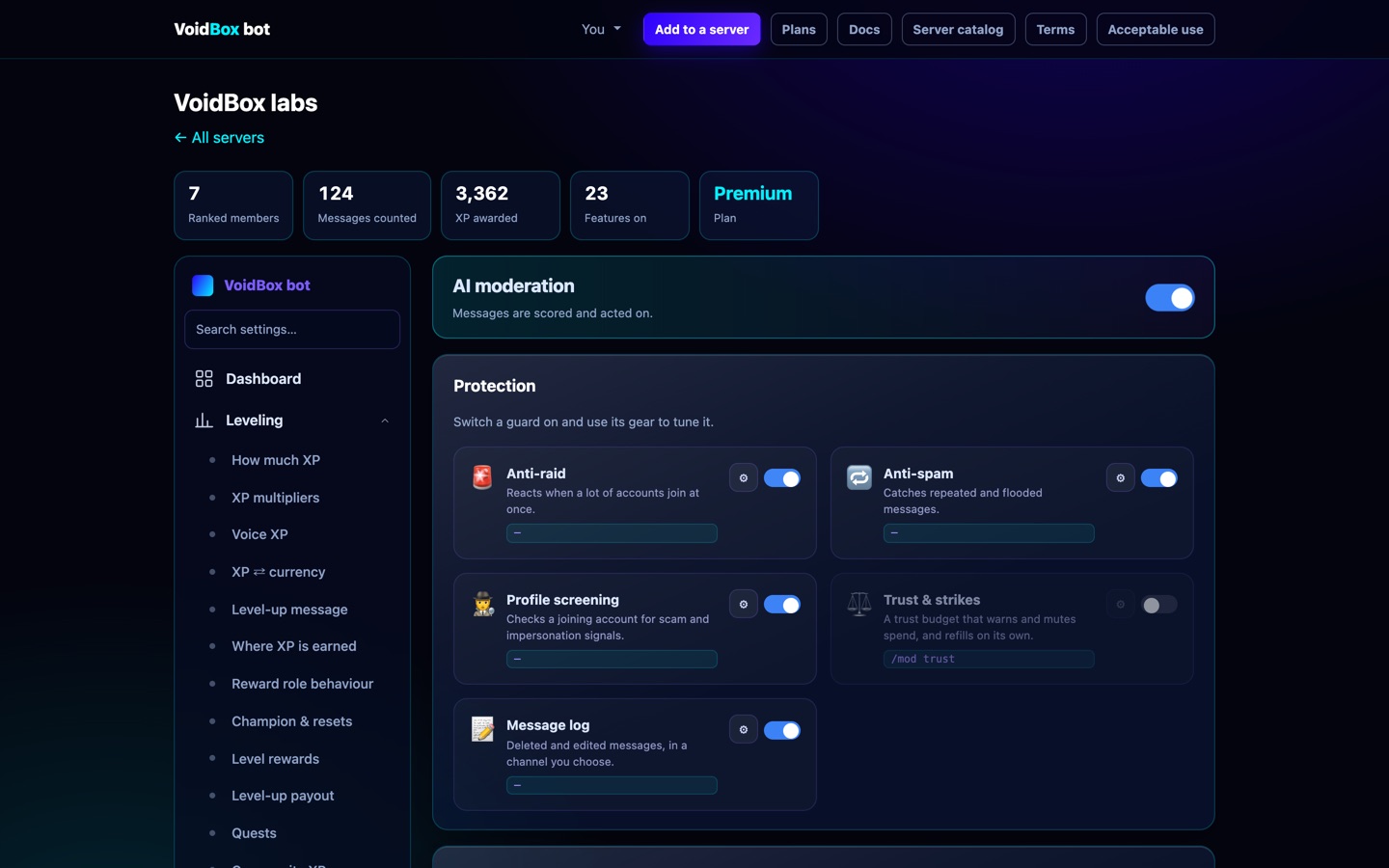
Premium adds an AI pass that judges scams and context, and server health: a toxicity score with the accounts driving it named.
Welcome & goodbye Free
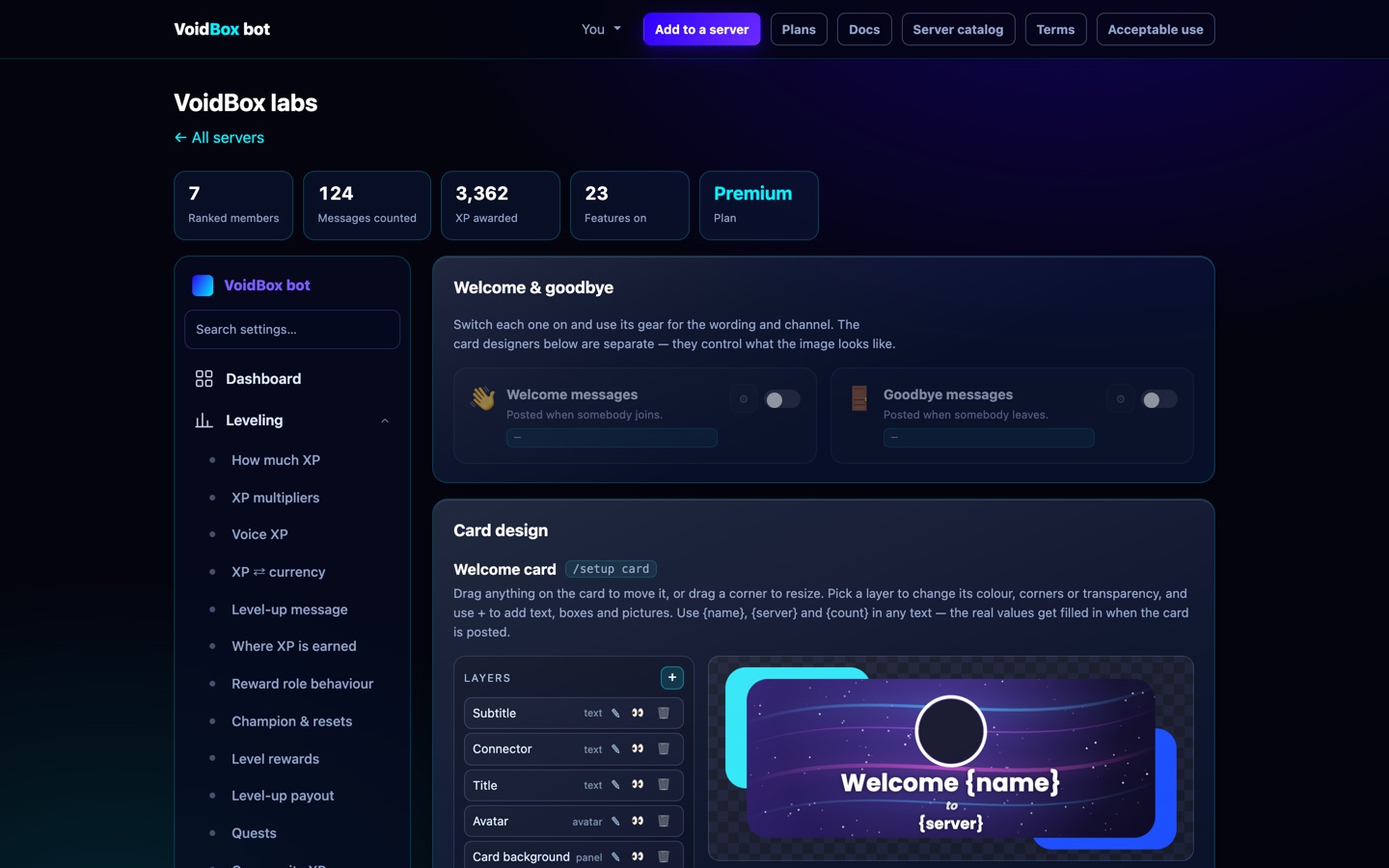
Dashboard → Welcome. Pick a channel, write the message, optionally turn on the generated image. Free servers get 5 phrasings each way and VoidBox rotates between them; Premium gets 25.
Tickets 1 panel free Role limit Premium
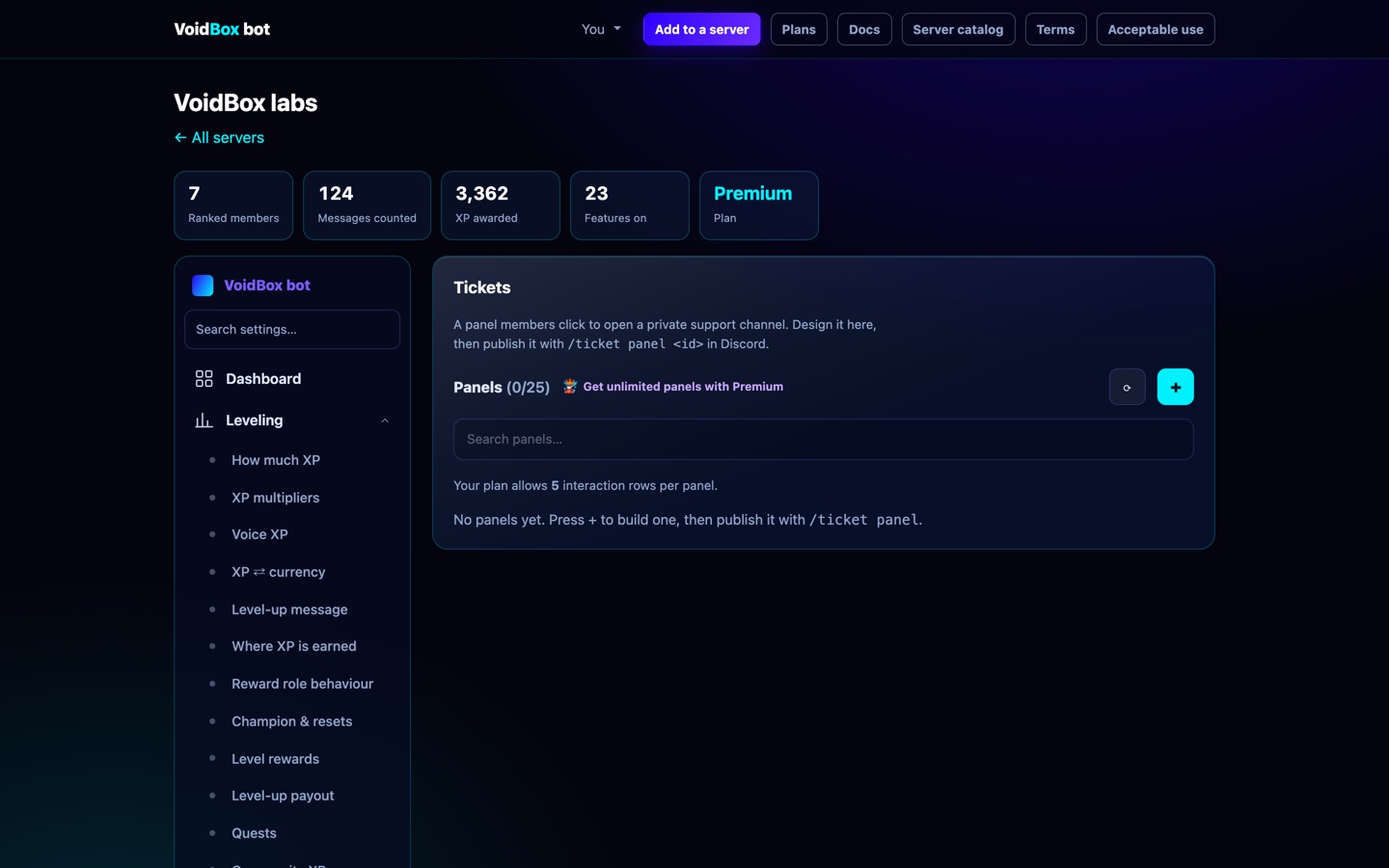
A button members press to open a private channel with your staff. Dashboard → Tickets builds the panel, sets who can see tickets, and where transcripts go. Free servers get one panel; Premium gets 25.
The builder shows a live preview of the panel as Discord will draw it, custom emoji and all — click any part of the preview to jump to the field that changes it. Every panel in the list carries a small preview too, with Publish (or Update), a channel picker, and Take down. Publishing again moves the panel: the old message is deleted first, so it is never live twice.
Who may open a ticket Premium: pick a role and only members who have it can open a ticket from that panel. Anyone else is told which role they need. The panel stays visible to everyone, because the rule is enforced when the ticket is opened, not by hiding the message. If Premium ends, the panel keeps the setting but stops enforcing it, so a server is never locked out of its own support desk.
Staff applications 1 form free
Forms with knockout questions — an answer that ends the application there, so nobody reviews a form that was never eligible. Free servers get one form and 20 questions; Premium gets 25 forms, 200 questions, and routing by answer.
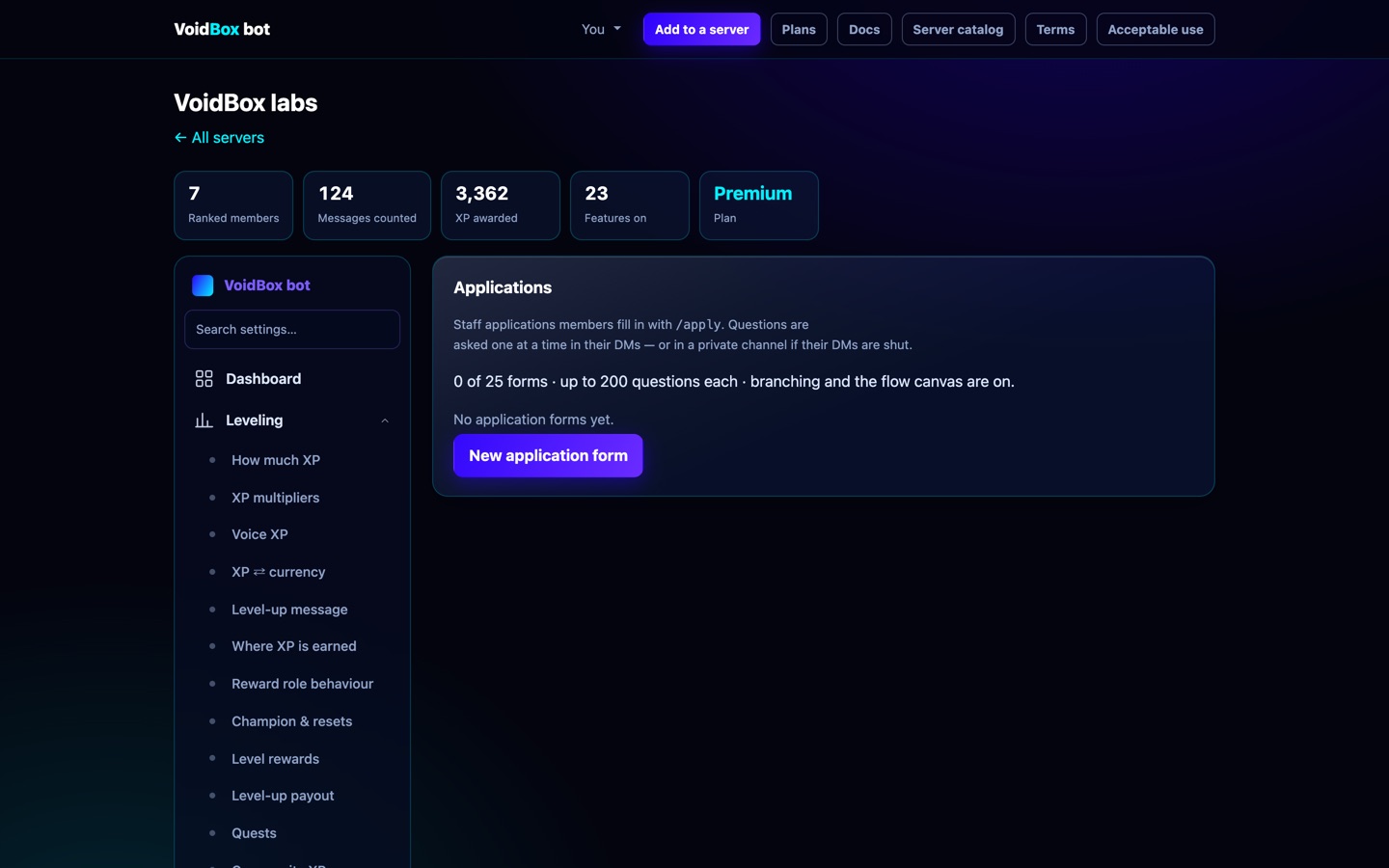
/work-apply; reviewers get a queue with accept and decline.Name colours 7 free 25 + custom with Premium
/setup → 🎨 Name colours. Press Use the starter palette for seven colours,
add your own with a name and a hex, then Post the picker here. Members pick from a dropdown
and their name changes colour; Remove my colour puts it back.
The palette is drawn as a picture, because Discord will not render coloured text in an embed — so members see the actual colours, not a list of names.
With Premium a server can hold 25 colours and switch on Custom colour, where a member types any hex and gets their own. One colour role per member: picking a new one drops the old.
Role rules 3 free 50 with Premium
Dashboard → Community → Role rules. A rule is conditions plus roles to give or take:
- has these roles / has any of these / does not have these;
- level, wallet, messages sent, or days in the server is at least N;
- has ever bought something from your shop;
- is boosting the server;
- has the VoidBox Cyberverse Pro pass.
Join them with all or any, then pick what to add and what to remove. Rules run when someone joins, gains or loses a role, levels up or buys something, and on a check every 15 minutes for members active in the last week.
A rule can only touch roles below VoidBox's own top role — Discord forbids the rest — and a role named by two rules at once (one adding, one removing) is left alone rather than flapping.
Reaction roles 3 panels free
Buttons or reactions that give a role. Four modes:
| Mode | Behaviour |
|---|---|
| Normal | Take and drop freely. |
| Unique | One from the set — picking another swaps it. |
| Verify | Grants once and stays. |
| Drop | Removes a role instead of giving one. |
Each option can require a role or be blocked by one. Up to 20 options per panel — Discord's own ceiling on distinct reactions for one message, not ours.
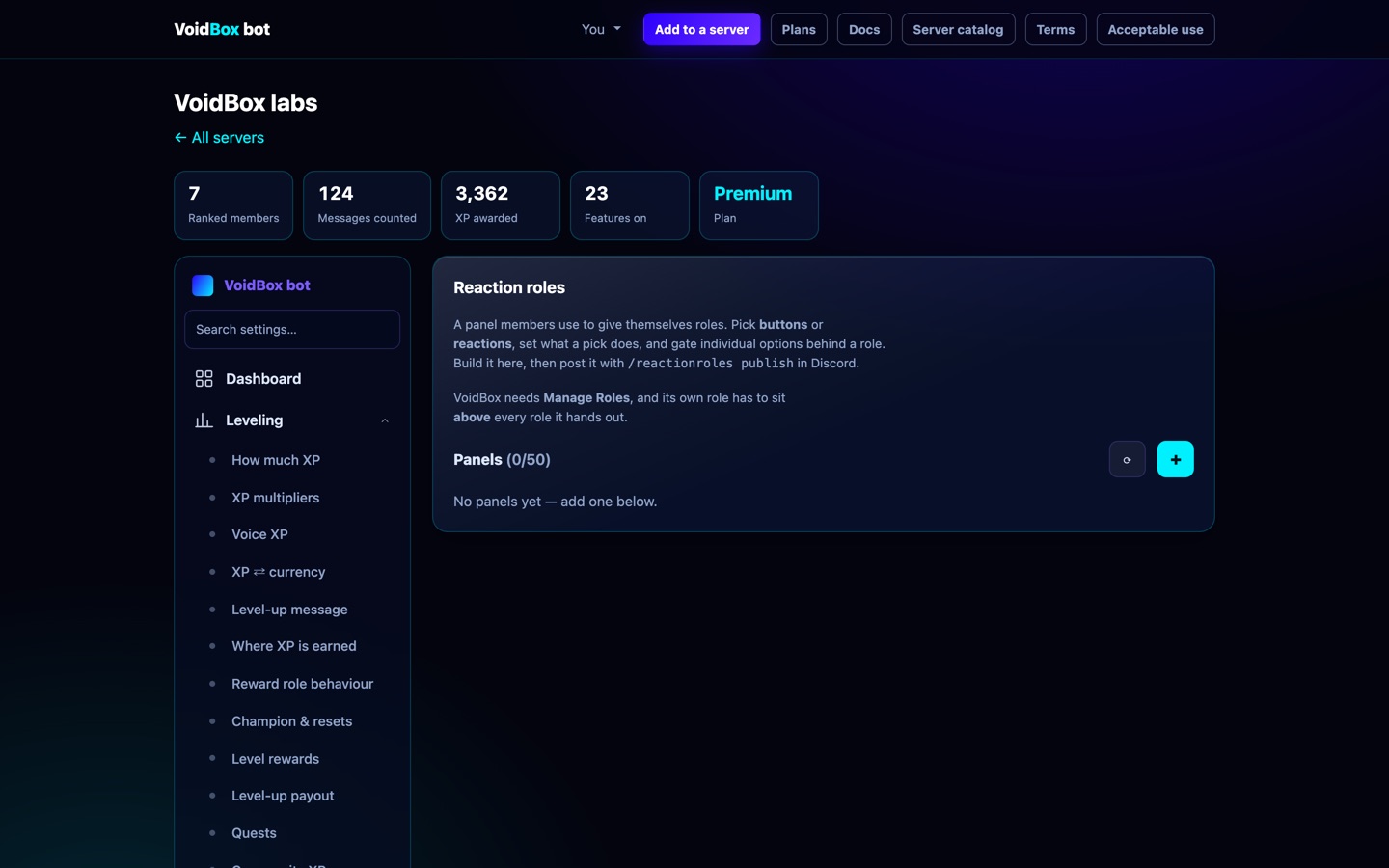
/setup; both write through the same validation.Giveaways 2 at once free Repeat is Premium
Start one fast with /setup — prize, duration, winners, and the
requirements people set most. Everything else lives in the dashboard, because a slash
command with twenty-five options is a form nobody can read.
Requirements and bonus entries
- Minimum level or messages sent.
- A required role, a bypass role that skips every check, and roles that are blocked.
- Bonus entries for a role — a booster can be worth three tickets instead of one.
- Voting on top.gg in the last 12 hours can be worth extra entries too.
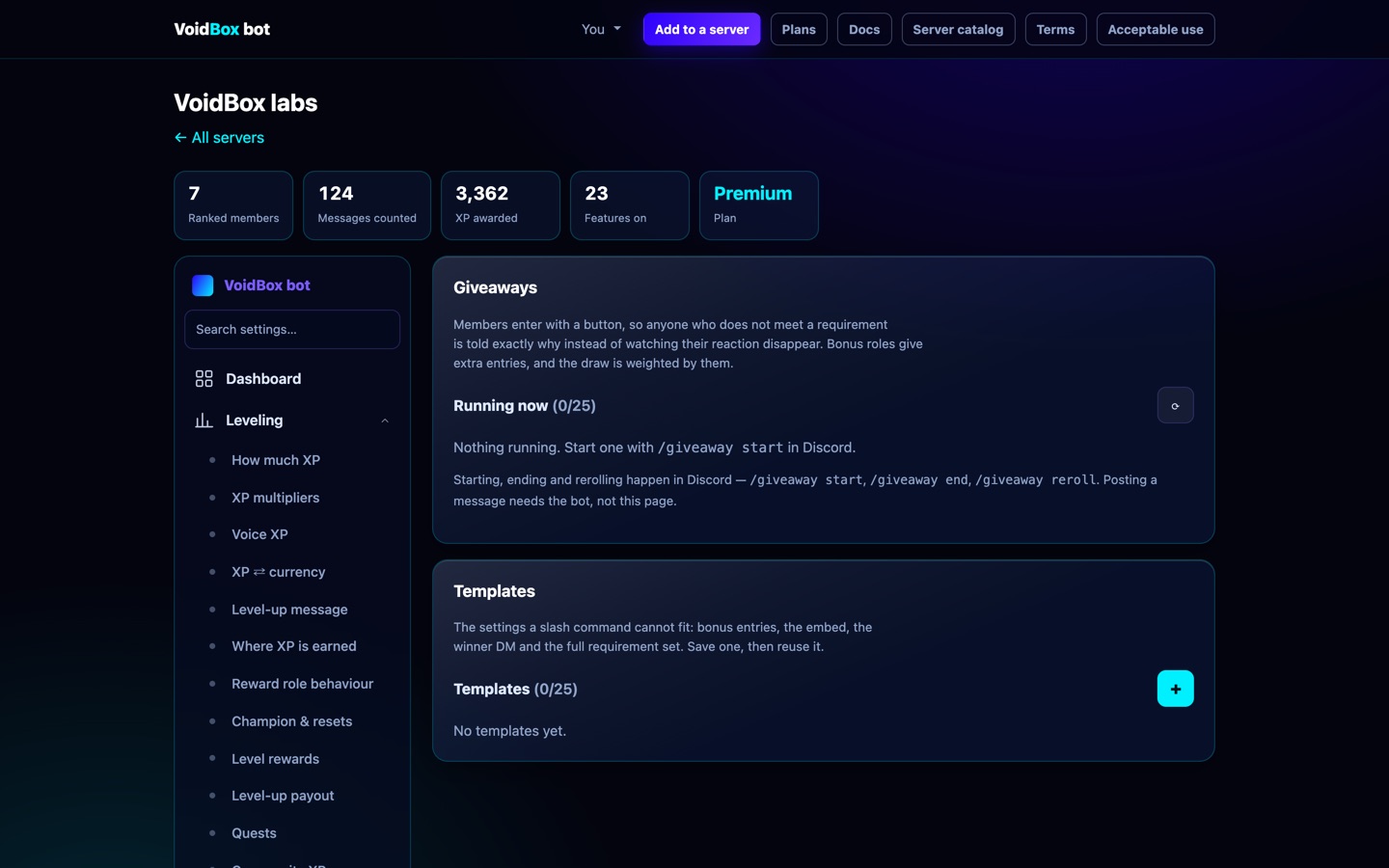
Premium giveaways can restart themselves on a schedule. The plan is re-checked at every repeat, so a lapsed subscription stops future runs rather than continuing free.
Post as the creator Premium: on Premium, alerts appear under the creator's own name and profile picture, pulled from YouTube, Bluesky, Kick or Reddit. Turn it off at the top of the Social media page. It needs the bot's Manage Webhooks permission.
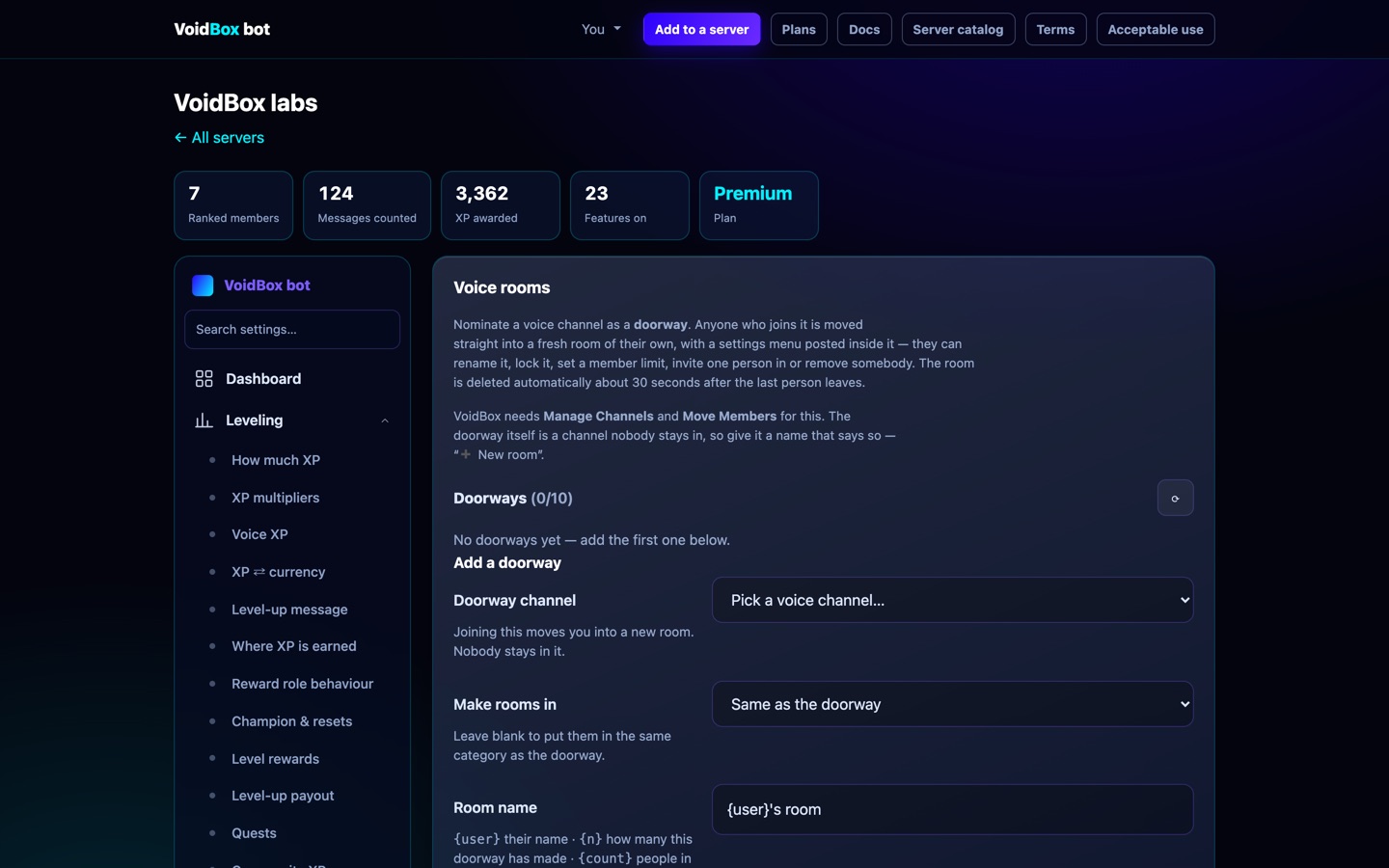
Voice rooms Free
Join a hub channel and VoidBox moves you into a room of your own, then posts a settings panel there: rename, set a limit, lock, hide, kick, and hand over ownership. The room deletes itself about 30 seconds after the last person leaves.
Starboard, birthdays & revival Free
- Starboard — pin the good messages by reacting. Any emoji you like, and you name the board. Free and uncapped.
- Birthdays —
/birthdaysets it, VoidBox announces on the day and can hand out a role and a gift. - Chat revival — a prompt when the channel has gone quiet. 100 free prompts.
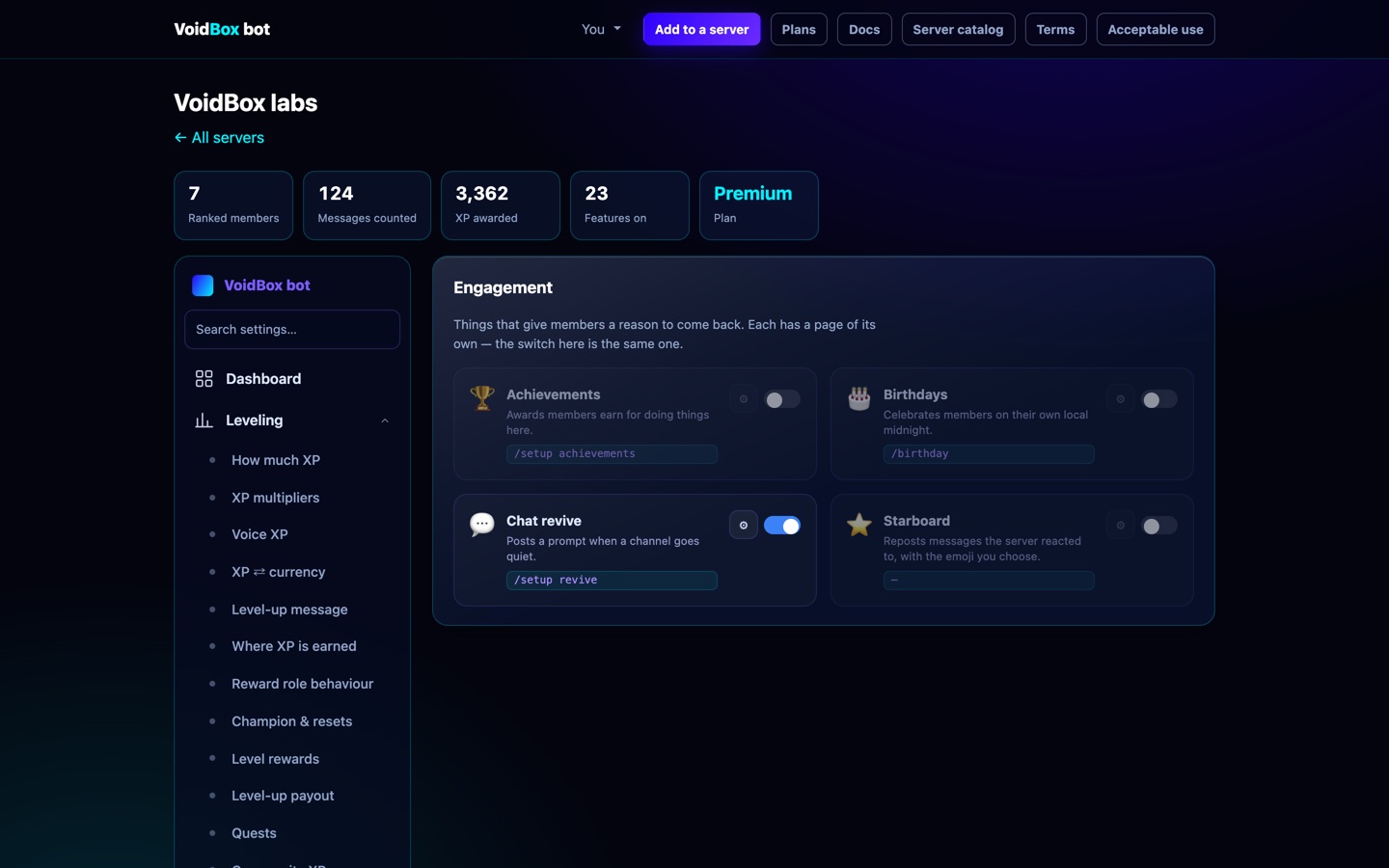
Bot profile & personality Name free Rest Premium+
Dashboard → AI & alerts → Bot profile & personality. Changes apply to your server only.
- Name (free). The AI answers to it too.
- Avatar and banner (Premium+): upload PNG, JPG, GIF or WebP, up to 8 MB. Reset brings back the default.
- About me (Premium+): up to 190 characters.
- AI personality (Premium+): describe how the AI should talk here, including tone, character, interests and answer length. It shapes style only. The safety rules always apply.
- AI backstory (Premium+): write the AI's own history and lore. It replaces Boombox's default origin story, the story of how VoidBox was built. Click Start from the default to edit that one.
AI chat 50 a day free
Ping @VoidBox with a question. The free tier is 50 replies a day per server, shared by everyone in it, resetting at midnight Kyiv time.
The AI joining conversations on its own is Premium: it replies without anyone asking, so it spends AI replies nobody requested.
Replies come from third-party models through OpenRouter. Which model answers depends on the plan:
| Tier | Model |
|---|---|
| Free | OpenRouter's free-model router |
| Premium — default, text or images | z-ai/glm-5.3-flash |
| Premium — backup | deepseek/deepseek-v4-flash, then qwen/qwen2.5-vl-72b-instruct for images |
| Premium — reasoning (asked for explicitly) | openai/gpt-oss-120b |
| Premium+ — DM persona | sao10k/l3.3-euryale-70b |
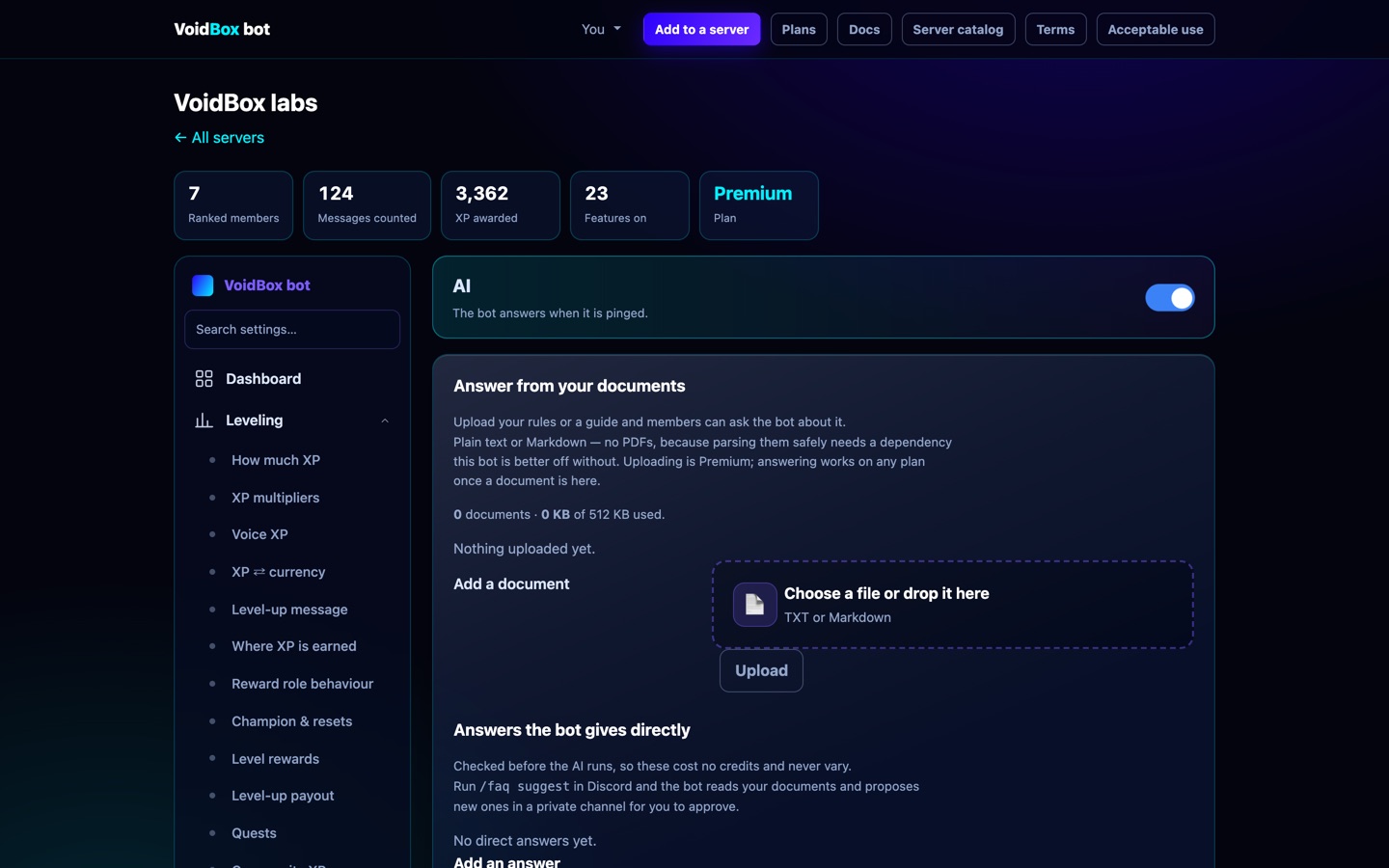
Cash, cards, hacking and Bank Pro Premium
Cash is the wallet: it moves freely and /rob can take it, with no way to get it back.
The card is the vault: safe from robbery, but deliberately slow — set hours between card moves
and a member may deposit or withdraw only once per period. That is the trade: carry cash and risk it,
or bank it and lose the ability to move it on a whim.
Each member's card has a random number and a PIN (/bank balance → My card).
Anyone who learns both can use Use a card to take a set share of the owner's vault.
/hack is the slow way in: each attempt has the chance you set (10% by default) of revealing
one digit of someone's number, and remembers the digits that member already knows. The hacker is
never named; the victim is told only that somebody probed them, so they can press Reissue —
which gives a new number and PIN and makes everything every hacker learned useless. A frozen card
reveals nothing. You set the chance, the cooldown and the cost per attempt.
Bank Pro is insurance members buy with your server's own currency: it cuts the hack chance and reduces how much a stolen card can take, for a number of days you set. It is never immunity.
All of it is off by default, in the dashboard under Games → Bank, or in /setup → 💰 Economy.
Currency audit — /audit Premium
Every coin movement is written to a ledger with a reason: daily, work, shop, gacha, a bet,
a trade, a robbery, a card theft, a bank deposit, a loan. /audit reads the last
7 days (up to 30, or one member with member:) and answers whether the money was
earned, spent or taken.
The totals and the flags are arithmetic, not opinion: one-way transfers between two accounts, someone taking far more than they earn, or movements with no recorded reason. The AI then explains the pattern — for example an alt-account funnel versus ordinary theft in a server that allows it. It never sees anyone's messages, only amounts and reasons.
Staff only (Manage Server), and the reply is private. The ledger keeps 90 days.
/setup10 a day free, shared with Claude
Describe a change and VoidBox builds it.
/setup. /setup10 role
reward. /setup@everyone pings.
- You describe what you want.
- VoidBox shows you exactly what it would change, before changing it.
- You approve — or you do not.
- If you dislike the result, undo it.
Run your server from Claude 10 calls a day free, shared with /setup
VoidBox publishes an MCP server at voidbox.games/mcp — 30 real
tools, not a chat wrapper. Add it as a connector in Claude, sign in with Discord, and
Claude can only ever see the servers you already administer.
- In Claude, add a custom connector pointing at
https://voidbox.games/mcp. - Sign in with Discord when prompted. That grant is what scopes it to your servers.
- Ask in plain language — "how is my server doing this week?", "add a level 10 role reward", "which members are close to ranking up?", "build a ticket panel with Billing and Bug topics, only for Supporters"
Ticket panels from Claude. Three tools work together: voidbox_list_emojis
returns every custom emoji with the exact token Discord renders, voidbox_find returns
roles and channels by name, and voidbox_save_ticket_panel builds the panel — embed,
dropdown topics, buttons, and the role allowed to open a ticket. Roles and emoji may be given
by name ("Supporter", ":boombox:") and are resolved against your server, so nobody has to
copy an ID out of Discord. voidbox_publish_ticket_panel then posts it into a channel
you name, and posting again moves it: the old message is deleted first, so a panel is never
live in two places.
/setup, and can be undone the same way.Stat channels & the hacked-account trap 3 free
Stat channels put a live number in your channel list — 👥 Members: 1,204 —
as a locked voice channel nobody can join. Choose from all members, humans, bots, boosts,
channels, roles, or hacked accounts caught. Three are free, Premium raises it to ten, and the
names refresh every 10 minutes (Discord only allows two renames per channel per 10 minutes).
Add one with /setup in Discord, or from Stat channels in the
dashboard. /setup shows what you have; /setup
deletes one, channel and all.
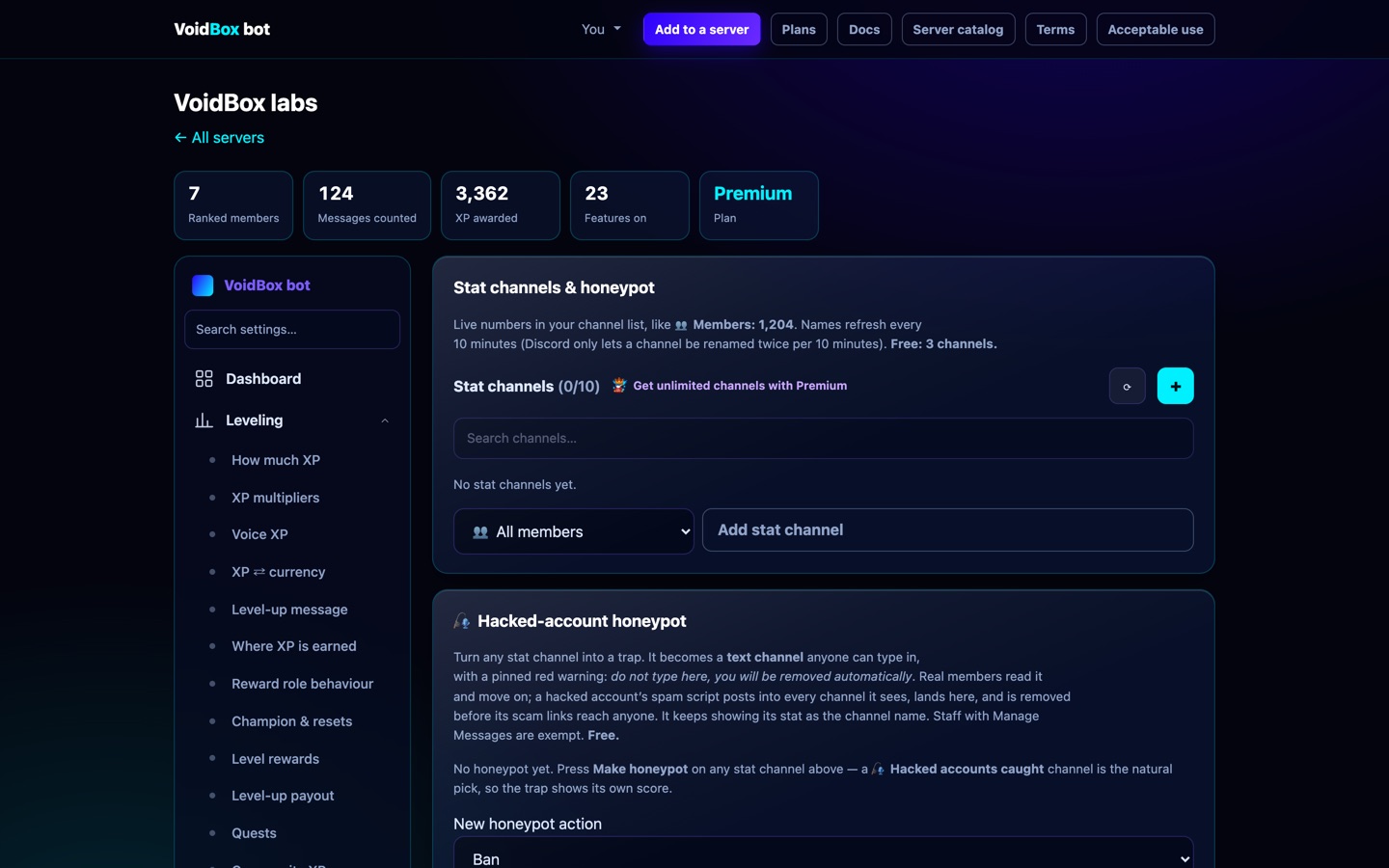
The hacked-account trap
A honeypot is a channel carrying one pinned, unmissable warning: do not type here, anyone who does is removed automatically. Real members read it and move on. A hacked account runs a script that posts scam links into every channel it can see — including this one — and is removed before the spam reaches anybody.
- Set it up with
/setup, or press Make honeypot on any stat channel in the dashboard. A stat channel becomes a text channel in the same place and keeps showing its number as its name. - Ban (default) or Kick. Kick bans and instantly unbans, which clears the spam everywhere it landed and still lets an innocent person rejoin.
- The person is DM'd first, told their account looks compromised, and told how to secure it.
- Their last hour of messages across the server is deleted.
- Anyone with Manage Messages and the server owner are exempt, so you can test it.
/setupshows how many it has caught;/setupstops it.
Plans & pricing Free tier included
Every plan, side by side, lives at voidbox.games/plans. The table there is generated from the limits the bot actually enforces, so it cannot disagree with the product.
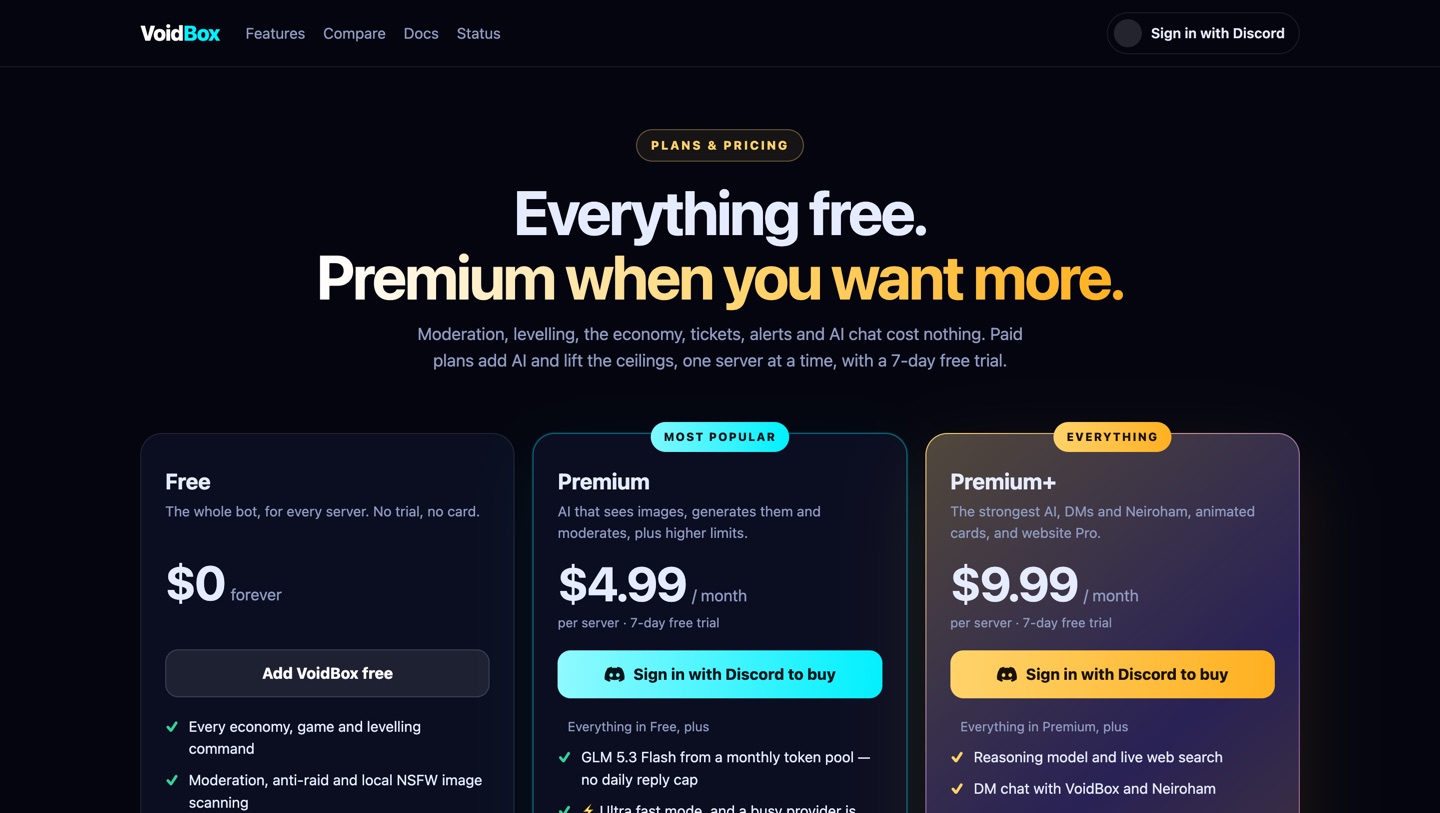
Free covers levelling, the economy, moderation, tickets, applications, giveaways, reaction roles, the starboard, social alerts, stat channels, the honeypot — and AI chat, 50 replies a day per server on a free model (best effort, no uptime guarantee). Premium ($4.99) and Premium+ ($9.99) add GLM 5.3 Flash with no daily cap and raise the ceilings, one server at a time, starting with a 7-day free trial.
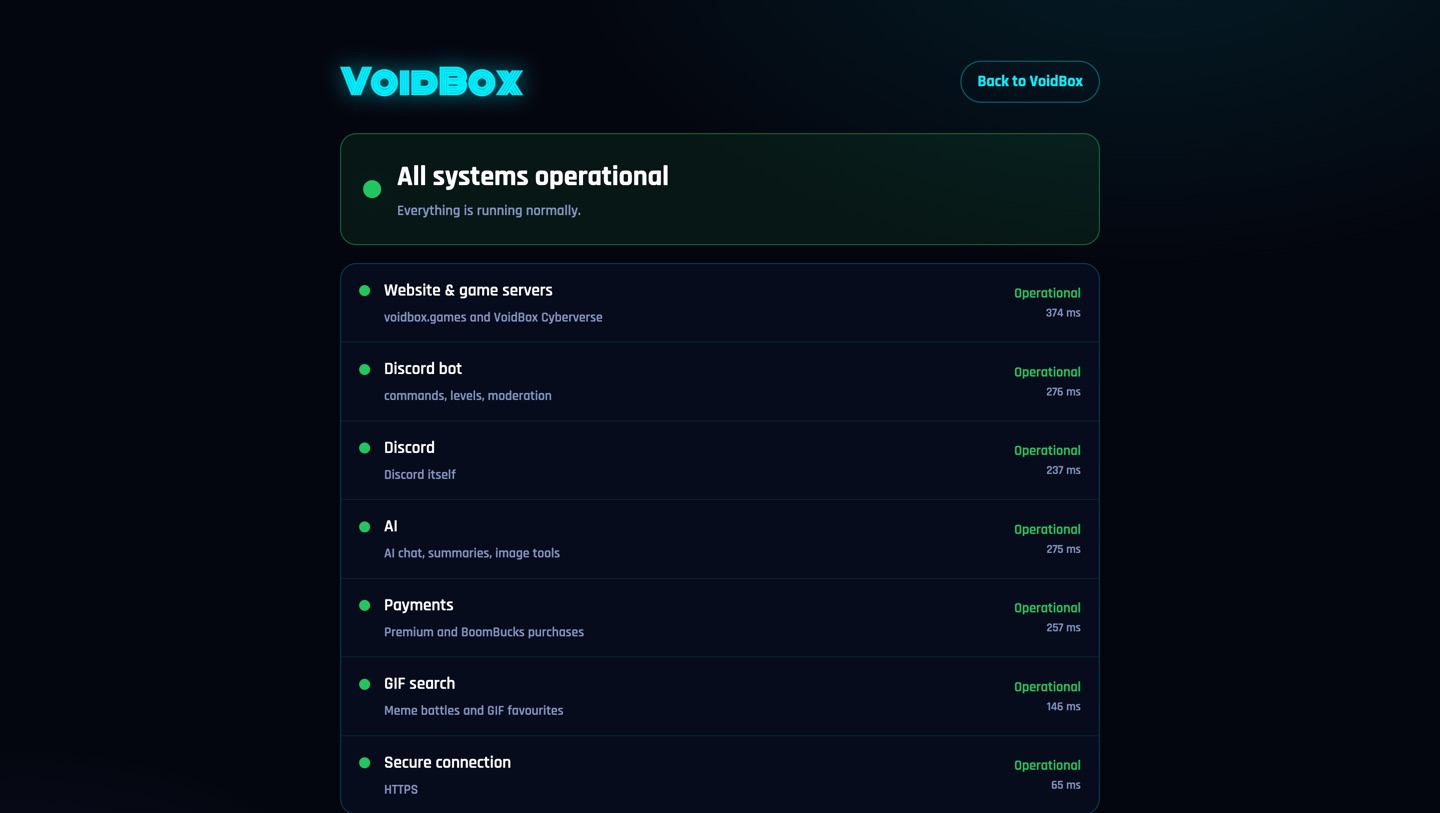
Is the bot down? Free
voidbox.games/status shows whether the bot, the website, AI, payments and GIF search are healthy, re-checked every 10 minutes.
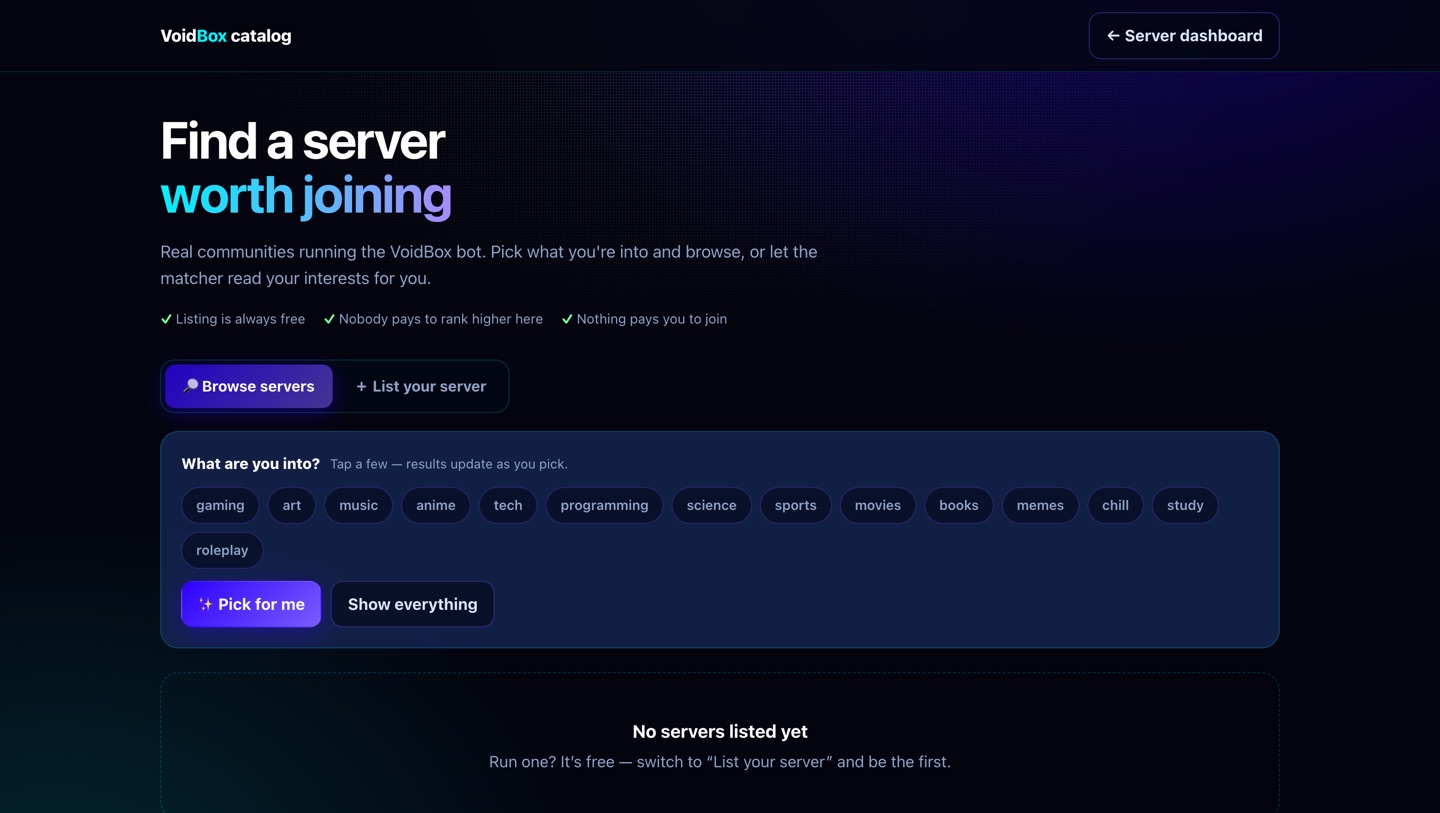
Server catalog Free
Listing your server in the catalog is free, and nobody can pay to rank higher. Members find communities by interest; you get an invite card with your icon, description and tags.
Premium & Premium+ Paid
Premium is $4.99 a month, Premium+ is $9.99. Every paid plan starts with a 7-day free trial — cancel inside it and you are not charged.
One server at a time, movable
A plan applies to one server, and you can move it whenever you like: dashboard → Premium → Apply here instead. Moving it takes effect immediately in both servers.

Cancelling your subscription
Handled on Whop, who take the payments. It takes about a minute.
- Go to whop.com/orders and sign in with the account you paid with.
- Find VoidBox Premium or VoidBox Premium+ in your memberships.
- Press Manage, then Cancel membership.
- Whop may offer you 20% off to stay. Take it or decline it — see below.
- Confirm. That is it; there is nothing to do on our side.
What happens next
- You keep access until the period you already paid for ends. Cancelling stops the next charge, not today's access.
- The dashboard's Premium section changes to "Cancelled — will not renew" with the date access ends.
- When it does end, the server drops to the free tier. Nothing is deleted. Items, levels, tickets and settings all stay exactly where they are — anything over a free-tier cap simply cannot be added to until you are back under it.
- Animated rank cards stop rendering, and alert polling slows from 5 minutes to 15.
The 20% retention offer
Refunds
Cancelling stops future renewals. We do not refund part-used periods except where the law requires it — if you are a consumer somewhere with a statutory right to one, you still have it. See Terms §5.
Coming back
Resubscribe at any time and everything is where you left it. If you want the server's data gone as well, that is a separate action and it is yours to take — see below.
Your data Free on every plan
Charging somebody to get their own data out is the thing that makes a paid tier untrustworthy, so none of this costs anything.
- Export — dashboard → Your data → Export. One file with the whole server configuration.
- Delete my data — removes your own member records. Immediate.
- Delete this server's data — server owners only. Immediate, and it does not come back.

Full detail in the Privacy Policy.
Getting help
- Support server — discord.gg/UjEQW8uQeU
- Email — mykyta2807@icloud.com
- Compare the plans — the comparison table, with sources for every claim
- Legal — Terms · Privacy · Acceptable Use
SECURITY in the subject — report it before you use it
and we will not pursue you for having found it.
Social alerts Free
Announce new posts from YouTube, Twitch, Kick, Reddit, Bluesky, RSS feeds and podcasts. Per platform: 2 accounts free, 15 with Premium, 30 with Premium+. Need more on any plan? Buy 5 extra for $1 (one-time, per platform) from the dashboard.
Twitch posts the moment a streamer goes live. Twitch notifies VoidBox directly, with a timed check as backup. Paste the channel name or a
twitch.tv/…link. The alert shows the stream title, the game and a live thumbnail. One alert per stream, however long it runs.Free servers are checked every 15 minutes, Premium every 5.
YouTube takes whatever you paste. An
@handle, a channel link or theUC…channel ID all work — VoidBox resolves it for you. A new upload posts as a card with the channel name, the video title, a thumbnail and the link. If a creator deletes their newest video, the one behind it is not announced again as new.Custom wording understands
{role},{label},{author},{title}and{url}. The first check after you add a feed never posts: it remembers where the feed is now, so your channel is not flooded with a backlog.