Set up and moderate your server by asking Claude
Connect VoidBox to Claude once. Then say what you want, like “lock my server down against raids”, and Claude does it with VoidBox's tools. You sign in with Discord, so it only ever sees servers you already manage.
What it's for
1. Copy the connection link
One link for every server you manage. Claude works out which one you mean.
2. Add it in Claude
Claude Code: run this in your terminal:claude mcp add --transport http voidbox https://voidbox.games/mcp
Claude Desktop or claude.ai, in four steps:
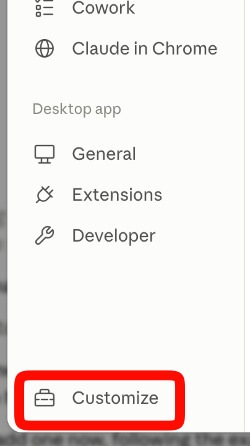
a. Open Settings, then click Customize at the very bottom of the left sidebar.
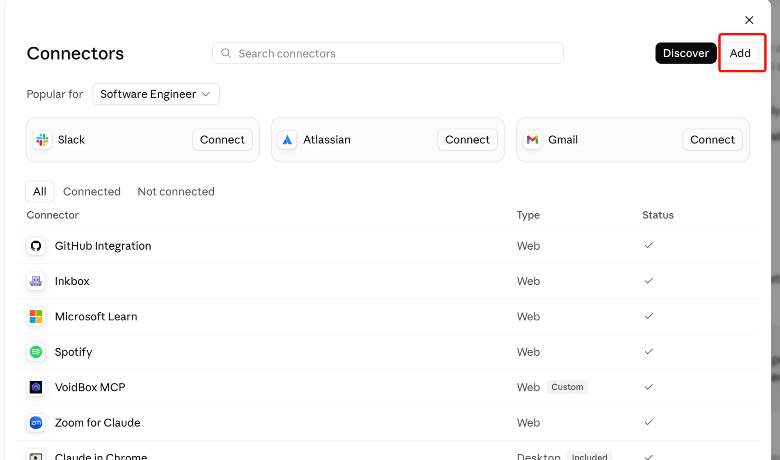
b. Go to Connectors and press Add in the top right.
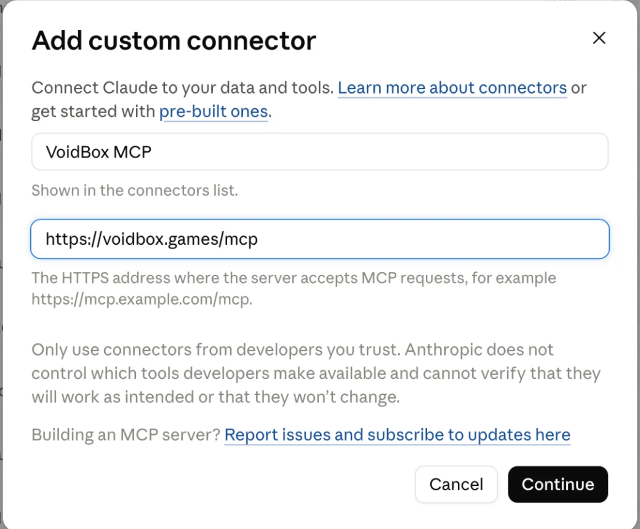
c. Give it any name, paste the link from step 1, then Continue.
d. On the next screen, check two things. The defaults are wrong for this server.
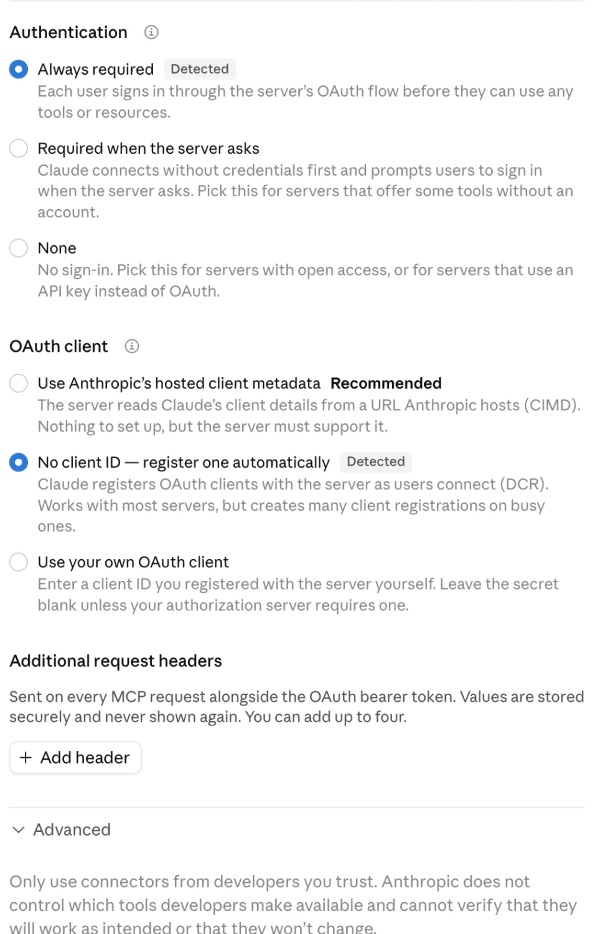
• Under OAuth client, pick “No client ID — register one automatically”. Claude often
preselects “Use your own OAuth client”, which asks for a client ID that doesn't exist and will fail.
• Open Advanced and check the transport is HTTP, not SSE.
Then press Add.
ChatGPT, Cursor or VS Code? ChatGPT: turn on Developer mode (Settings → Apps & Connectors → Advanced),
choose Create, paste the link, authentication OAuth. Cursor, VS Code and other MCP clients:
{ "mcpServers": { "voidbox": { "url": "https://voidbox.games/mcp" } } }
3. Sign in with Discord and ask
The first time you use it, Claude opens a Discord login. After that, try:
- Set up my server from scratch. It's a 200-person Minecraft community, strict about links.
- Add verification so new members have to press Verify before they can talk.
- Lock my server down against raids and set up the hacked-account trap.
- Show my server health report. What should I fix first?
- Build a ticket panel with Billing and Bug topics, only for Supporters, and post it in #support.
- Give the Veteran role at level 10.
Free and Premium
Free servers get 10 requests a day, shared with /setup in Discord. Premium removes the limit and unlocks
the Premium-only tools (health reports, threats, level rewards and more). See plans.